
Thinking about updating your business’s website? It’s a big job, especially for Irish SMEs. Before you even start looking for someone to build it, there’s a lot to sort out. This website redesign checklist Ireland guide will help you get ready, so you know what you need before you hire a developer. Let’s make sure your online presence is working as hard as you are.
Key Takeaways
- Know exactly what you want to achieve with your new website. Is it more sales, better customer engagement, or something else?
- Understand who you’re trying to reach in Ireland. Tailor your site to them.
- Look closely at your current website. What’s working, and what’s not? Check your visitor numbers and how people use the site.
- Plan your content carefully. What information do people need? Make sure it’s easy to find and good for search engines.
- Think about the technical bits and what your site needs to do. Also, set a realistic budget and timeline for the whole project.
Why Your Irish SME Needs a Website Redesign
Right then, let’s talk about why your Irish SME might be due for a website refresh. Think of your website as the digital front door to your business. If it’s looking a bit tired, slow, or just not doing what you need it to, it could be costing you customers. In today’s fast-paced world, especially here in Ireland, first impressions count. A clunky or outdated site can make potential customers click away faster than you can say ‘céad míle fáilte’.
So, when should you consider a website redesign? There are a few tell-tale signs. Maybe your current site isn’t mobile-friendly - a big no-no these days when so many people are browsing on their phones. Or perhaps the design feels like it’s from a decade ago. It might not be reflecting your brand’s current image, or maybe it’s just not performing well in search results for terms like ‘small business website redesign Ireland’.
Here are some common reasons Irish businesses decide it’s time for an upgrade:
- Outdated Design: Your website looks old-fashioned and doesn’t represent your brand well.
- Poor Mobile Experience: It doesn’t work properly on smartphones or tablets.
- Slow Loading Speeds: Pages take too long to load, frustrating visitors.
- Lack of Functionality: It doesn’t have the features you need, like online booking or e-commerce.
- Low Search Engine Rankings: It’s hard for people to find you on Google when searching for your services in Ireland.
- Changing Business Goals: Your business has evolved, and your website hasn’t kept up.
Making the decision to invest in a website redesign is more than just a cosmetic change; it’s a strategic move to stay competitive and connect better with your audience. It’s about ensuring your online presence actively supports your business growth.
Ignoring these signals can mean missing out on valuable leads and sales. A well-planned Irish business website upgrade, focusing on user experience and modern design, can make a significant difference. It’s not just about looking good; it’s about working effectively. This checklist will help you with the planning a new website Ireland process, ensuring you’re ready before you even start looking for SME web development Ireland expertise.
Before You Even Think About Developers: Defining Your Goals
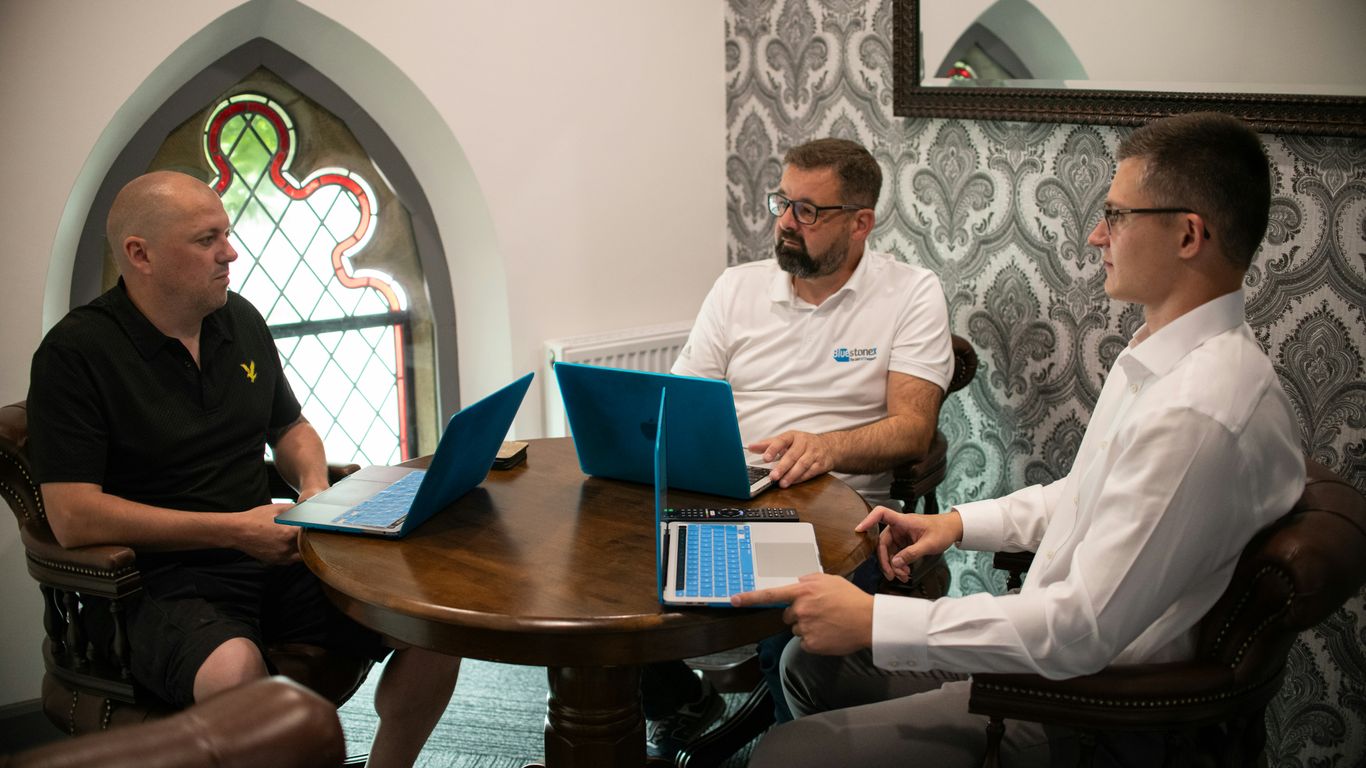
Right then, before you even start looking for someone to build your new website, we need to have a good think about what you actually want it to do. It sounds obvious, doesn’t it? But honestly, so many businesses skip this bit and end up with a website that doesn’t really help them much. It’s like setting off on a road trip without a map or even knowing where you want to end up.
What Do You Want to Achieve with the Redesign?
This is the big one. What’s the main reason you’re redoing your website? Are you looking to get more people to buy your products online? Maybe you want more people to fill out a contact form to enquire about your services. Or perhaps you just need to update your company’s image and make it look more modern. Whatever it is, get it down on paper. Having clear, measurable goals is the bedrock of a successful website project.
Here are a few common goals Irish SMEs have for a website redesign:
- Increase online sales (e-commerce).
- Generate more leads through contact forms or quote requests.
- Improve brand perception and credibility.
- Provide better customer support or information.
- Rank higher in search results for local customers.
Think about what success looks like for your business. If your goal is to get more enquiries, how many more would be a good result? If it’s sales, what percentage increase are you aiming for? Be specific.
Who is Your Target Audience in Ireland?
Next up, who are you actually trying to talk to? Your website needs to be built with your ideal customer in mind. Are they young professionals in Dublin, families in rural Cork, or perhaps businesses across the whole of Ireland? Knowing this will shape everything from the design and tone of your content to the features you need.
Consider these points about your audience:
- Demographics: Age, location (specific counties or cities?), job roles, income level.
- Needs and Pain Points: What problems are they trying to solve that your business can help with?
- Online Behaviour: Where do they spend time online? What kind of information do they look for?
Understanding your audience helps tailor the website to their needs, making it more effective. For example, if you’re targeting older customers, you might want larger text and simpler navigation. If you’re aiming for tech-savvy businesses, you might include more detailed case studies and advanced features. It’s all about speaking their language and making it easy for them to find what they need on your site. You can find out more about how we approach web design to meet specific business needs.
Assessing Your Current Website's Performance
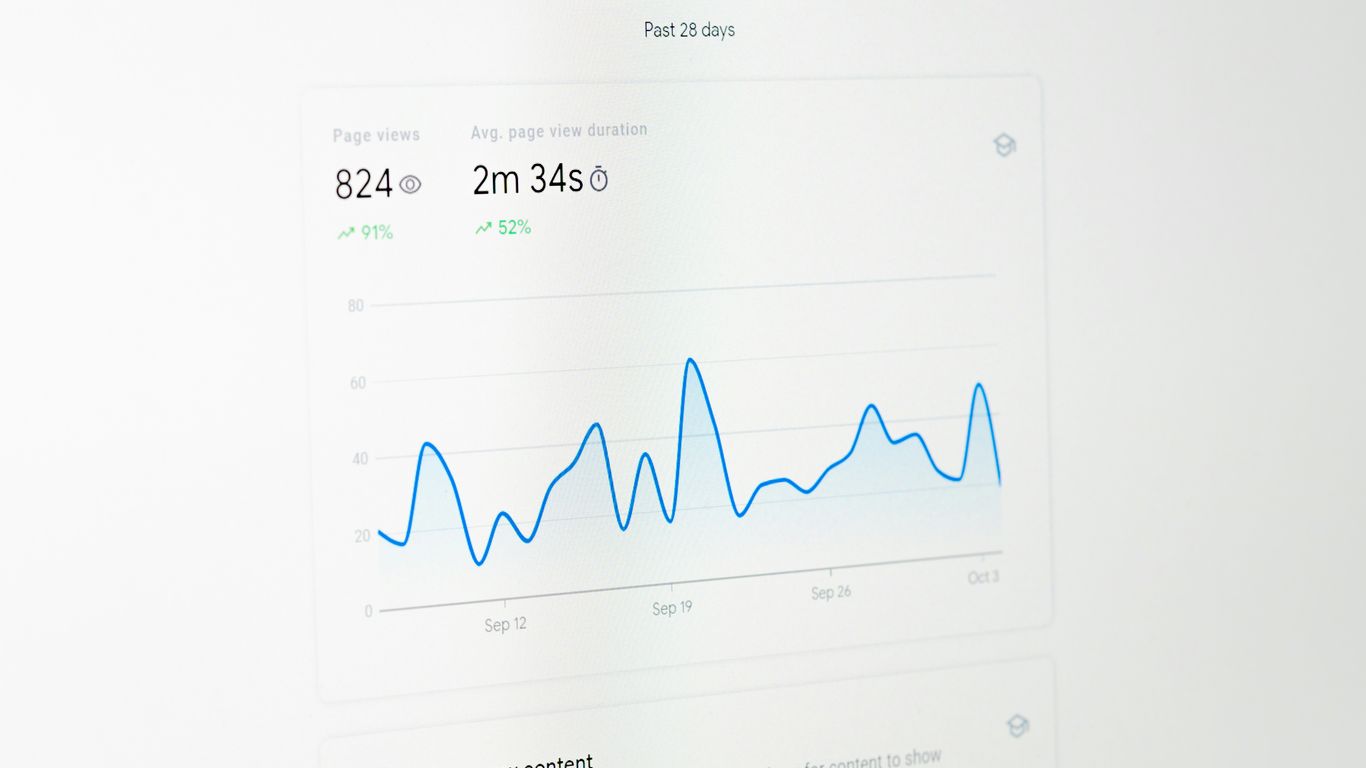
Before you even think about a shiny new design, you need to get a handle on how your current website is actually doing. It’s like checking the engine of your car before you decide to repaint it. You wouldn’t want to spend a fortune on a new coat of paint only to find out the engine’s about to give up, right? The same applies to your website. Understanding its strengths and weaknesses is key to making smart decisions for the redesign.
Key Performance Indicators (KPIs) to Track
So, what exactly should you be looking at? It’s not just about how pretty the site looks. We need to look at the numbers. These are the metrics that tell you if your website is actually working for your business. Think of them as your website’s vital signs.
Here are some of the most important ones to keep an eye on:
- Traffic Sources: Where are your visitors coming from? Are they finding you through Google searches, social media, or direct links? Knowing this helps you focus your efforts.
- Bounce Rate: This is the percentage of visitors who leave your site after viewing only one page. A high bounce rate might mean people aren’t finding what they expect, or the page isn’t engaging enough.
- Time on Page/Site: How long are people sticking around? Longer times generally suggest they’re engaged with your content.
- Conversion Rate: This is probably the most important one. What percentage of your visitors are actually doing what you want them to do? This could be filling out a contact form, making a purchase, or signing up for a newsletter.
- Page Load Speed: Nobody likes a slow website. If your pages take too long to load, people will just go elsewhere. This is a big one for user experience and even search engine rankings.
Keeping track of these numbers regularly gives you a clear picture of what’s working and what’s not. It’s not about judging your current site too harshly, but about gathering the data needed to build a better one.
User Experience (UX) Audit
Beyond the numbers, you need to think about how people actually feel when they use your website. This is the user experience, or UX. Is it easy to find information? Is the navigation clear? Does it work well on a phone?
Here’s a quick checklist to get you started:
- Navigation: Can users easily find their way around? Are menus clear and logical? Is the search function working well?
- Mobile Responsiveness: With so many people browsing on their phones, your site must look and work perfectly on smaller screens. Test it on different devices.
- Readability: Is the text easy to read? Are the fonts and colours well-chosen? Is there enough white space?
- Call to Actions (CTAs): Are your buttons and links clear? Do people know what to do next? For example, is your ‘Contact Us’ button easy to spot?
- Forms: If you have contact forms or checkout processes, are they simple and straightforward? Long, complicated forms are a major turn-off.
Performing these checks will highlight areas where users might be struggling. This information is gold dust for your developer, helping them focus on fixing pain points and creating a site that’s a pleasure to use. You can find more tips on maintaining your site’s performance in this monthly website care checklist. Remember, a good user experience keeps people coming back.
Content Strategy for Your Redesigned Website
Right then, let’s talk about the words and pictures on your new website. It’s not just about making it look pretty; it’s about making sure people actually want to read what’s there and find what they’re looking for. Think of it as the actual shop floor - if it’s messy and confusing, people won’t stick around.
Content Audit and Inventory
Before you start writing anything new, you need to know what you’ve already got. This means going through your current website with a fine-tooth comb. What pages are there? What information is on them? Is it still relevant? Is it accurate? You’ll want to make a list of everything - this is your content inventory. Then, you’ll decide what to keep, what to update, and what to bin entirely. It’s a bit like decluttering your attic; you might find some gems, but a lot of it is probably just taking up space.
- Review existing pages: Check for outdated information, broken links, and poor-quality text.
- Identify high-performing content: What pages get the most traffic or engagement?
- Determine content gaps: What information are your customers looking for that you aren’t providing?
A thorough content audit helps you understand what’s working and what isn’t, saving you time and effort on your redesign.
SEO Considerations for Irish Search Engines
Now, you don’t want to just create content for yourself; you want people to find it, especially here in Ireland. That means thinking about Search Engine Optimisation (SEO). It’s not some dark art; it’s just about making your website friendly for search engines like Google. This involves a few key things:
- Keyword Research: What terms are people in Ireland actually typing into Google when they’re looking for businesses like yours? Use tools to find these out. Don’t just guess.
- On-Page Optimisation: This is about making sure your chosen keywords are naturally included in your page titles, headings, and the main text. It’s also about making sure your content is well-structured and easy to read.
- Local SEO: For Irish SMEs, this is a big one. Make sure your contact details, address, and opening hours are clear and consistent. Consider mentioning local landmarks or areas if it makes sense for your business.
Following best practices for website redesign UK, and by extension, Ireland, means keeping these SEO elements front and centre. It’s about making your content discoverable. Think about what makes your business unique and how you can communicate that clearly. The goal is to attract the right kind of visitors who are genuinely interested in what you do. This isn’t just about getting more clicks; it’s about getting more relevant clicks that could turn into customers.
Technical Requirements and Functionality
Right then, before you even start chatting with a developer, you need to get your head around what your website actually needs to do. It’s not just about looking pretty; it’s about working hard for your business. Think about the core functions. Do you need an online shop? A booking system? A members’ area? Perhaps a blog with a comments section? Each of these requires different technical setups.
Speed and responsiveness are non-negotiable. Your site needs to load quickly on all devices - phones, tablets, and desktops. Nobody waits around for a slow website these days, and Google certainly doesn’t favour them. We’re talking about making sure images are optimised, code is clean, and your hosting is up to scratch. It’s also about making sure the site works well for everyone, regardless of ability. This means considering things like colour contrast and keyboard navigation, which is covered in more detail in this guide to website accessibility.
Here’s a quick rundown of things to consider:
- Device Compatibility: Does it work on a phone? A tablet? A big monitor? It needs to look and work well everywhere.
- Loading Speed: How fast does it load? Aim for under 3 seconds.
- Security: Especially if you’re handling customer data or payments. Think SSL certificates and secure payment gateways.
- Scalability: Can the website grow with your business? You don’t want to outgrow your site in a year.
- Browser Compatibility: Does it work on Chrome, Firefox, Safari, etc.?
Don’t get bogged down in the nitty-gritty technical jargon. Focus on what you need the website to achieve for your customers and your business. The developer’s job is to translate those needs into technical specifications, but you need to be able to articulate them clearly.
Budgeting and Timeline for Your Redesign Project

Right then, let’s talk brass tacks. Before you even start dreaming about fancy new graphics or slick animations, you need to get a handle on the money and time involved. This isn’t just about picking a developer; it’s about planning a proper project.
Setting a realistic budget is absolutely key to a successful website redesign. It’s easy to get carried away, but you need to know what you can afford. Think about all the potential costs: the design itself, the development work, content creation or migration, any special features you might want (like a booking system or an online shop), and even ongoing maintenance. It’s not just a one-off cost.
Here’s a rough idea of what might influence your budget:
- Complexity of Design: A simple, clean design will cost less than something highly bespoke with lots of custom animations.
- Number of Pages: More pages generally mean more work for the developer.
- Functionality: E-commerce, membership areas, or complex forms will add to the price.
- Content Migration: Moving existing content can be time-consuming and costly.
- Third-Party Integrations: Connecting to other software (like your CRM or accounting system) can be tricky.
As for the timeline, well, that depends on a lot of things too. A small, straightforward redesign might take anywhere from 4 to 8 weeks. For something more involved, with custom features and lots of content, you could be looking at 3 to 6 months, or even longer. It’s important to have a clear timeline agreed upon with your developer, but also to build in some buffer time for unexpected hiccups. Nobody wants a project that drags on forever, but rushing it can lead to mistakes.
Remember, a website is an investment, not just an expense. Think about the return you expect to get from it. A well-planned budget and timeline will help you achieve that return more effectively.
Figuring out the money and time for your website makeover can seem tricky. We break down the costs and schedule so you know exactly what to expect. Want to see how we can make your project smooth and successful? Visit our website to learn more about our process and get a personalised quote today!
So, What's Next?
Right then, that’s a lot to think about before you go picking a web developer. Your website is a pretty big deal for your business, sort of like your digital shopfront. It’s not just about looking pretty, it’s about working well too. So, take your time, do a bit of digging, and don’t be afraid to ask all the questions. Keep an eye out for those warning signs we talked about. Getting the right person on board means your website will be a proper asset, not a headache. Good luck with the search!
Frequently Asked Questions
Why should my Irish small business think about redesigning its website?
Think of your website as your shop window online. If it’s looking a bit old or doesn’t work well, people might not come in. A redesign makes your business look modern, helps customers find what they need easily, and can even bring in more sales. It’s like giving your business a fresh new look that attracts more attention.
What's the first thing I should do before hiring someone to redesign my website?
Before you even look for a developer, you need to know what you want your new website to do. What are your main goals? Do you want more people to buy things, get in touch, or just learn about your services? Knowing this helps you explain what you need and find the right person for the job.
How do I know if my current website isn't performing well?
You can look at numbers like how many people visit your site, how long they stay, and if they buy anything or fill out a form. Also, try using your own website - is it easy to navigate? Does it look good on a phone? If it’s clunky or confusing, it’s probably not doing its best.
What is 'content strategy' for a website?
Content strategy is all about the words, pictures, and videos on your website. It means making sure you have the right information for your customers, organised in a way that’s easy to understand and helps people find you on search engines like Google. It’s like planning what you’ll say and show to make the best impression.
How important is it for my website to work on phones and tablets?
It’s super important! Most people in Ireland browse the internet on their phones. If your website doesn’t look good or work properly on a smaller screen, you’ll lose a lot of potential customers. Developers call this ‘responsive design’.
What kind of technical things should I think about for my new website?
This includes things like how fast your website loads, if it’s secure, and if it can handle lots of visitors. You might also need specific features, like an online shop, a booking system, or a way for customers to chat with you. Think about what your business needs to do online.
How much does a website redesign typically cost for an Irish SME?
The cost can vary a lot, from a few hundred euros for something very basic to many thousands for a complex, custom-built site. It depends on how big your website is, how fancy the design is, and what special features you need. It’s best to get a few quotes after you’ve figured out your goals.
What are some common mistakes Irish SMEs make when hiring a web developer?
A big mistake is choosing someone *only* because they are the cheapest. Remember, you often get what you pay for. Another error is not checking their past work or what other clients say about them. It’s also wise to hire someone local in Dublin who understands the Irish market and culture.